How to Brainstorm Content Ideas You Can Actually Publish
A practical way to brainstorm content ideas: gather real audience input, run a timed session, score the results, and turn each winner into video, audio and images.

The best way to brainstorm content ideas is to treat it as a short, repeatable process. Collect real audience input, generate a lot of options fast without judging them, score them against a few criteria, then turn each winner into several formats. A blinking cursor is rarely a talent problem. It usually means the input was thin and the process was missing. With an AI studio like ours handling the production side, your time goes to the decisions only you can make: which ideas deserve to exist and what you have to say about them.
TL;DR
- Ideas come from input, so start with audience questions, comments and searches rather than a blank page.
- Run a timed session: write first, judge later. The 6-3-5 method produces 108 raw ideas in about half an hour.
- Score every idea on a few criteria and keep a backlog, so you never start from zero.
- Use AI for volume and angles, then add your own stories, facts and voice.
- Turn each chosen idea into video, short clips, music, images and dubbed versions instead of one post.
Table of Contents
- Start with input, not inspiration
- A 30-minute brainstorming session that works
- How to brainstorm content ideas with AI
- Score and prioritize so ideas become a plan
- Turn one idea into video, music, images and voice
- Our view: ideas are the scarce part
- Try it on your next idea
- FAQ
- Sources
Start with input, not inspiration
Ryan Law of Ahrefs makes the point plainly: ideas are built from what you consume. If you only read content marketing blogs, everything you make will look like another content marketing blog post. His advice is to read, watch and listen widely and collect “seeds” in one inbox, such as a doc, a Trello board or a notepad. His golden rule is that every idea must be useful to another human being.
For a creator or social media manager, that means building a small input routine before any session:
- Questions people already ask. SparkToro calls questions content gold and lists where to find them: customer service logs, social comments, Q&A sections on other sites, sales call recordings, community discussions and Google’s People Also Ask boxes.
- Your own best performers. Webflow suggests reviewing your most successful content for subtopics you can expand. If your top posts are “best of” lists, brainstorm new categories for new lists and link back to the winner.
- Search terms. Start with a broad seed term and expand it into long-tail queries. Semrush’s example turns “sales CRM” into questions such as “What is CRM in sales?”, which shows what the audience is actually typing.
- What you do all day. Your own experiences, mistakes and behind-the-scenes work are material no competitor has.
Write questions down in the audience’s own words. “How do I repurpose videos when I’m a team of one?” tells you the persona, the worry and the constraint. A tidied-up version loses all three.
A 30-minute brainstorming session that works
You don’t need a workshop. You need a timer and a rule: no judging while you generate.
Step 1: Define the target (3 minutes)
Write one sentence: who the content is for and what you want it to do. “Help first-time podcast guests feel ready, and drive trial sign-ups” gives you a filter. “Get more views” doesn’t.
Step 2: Generate raw volume (10 to 15 minutes)
Work alone in sprints of five minutes, writing as many ideas as you can. If you have a team, try the 6-3-5 method that Semrush describes: six people each write three ideas in five minutes, then swap sheets and build on what they receive. After six rounds that is 108 ideas in just over half an hour. The ground rules matter more than the format: no critiquing, build on each other’s ideas, and take short breaks between bursts.
Solo, you can imitate the swap. After each sprint, pick three ideas from your list and push each one sideways: a different audience, a different format, the opposite opinion, a beginner’s version, an advanced version.
Step 3: Sort and cut (10 minutes)
Group similar ideas, drop duplicates, and mark the ones that make you want to start immediately. Don’t delete the rest. Move them to the backlog described below.
Step 4: Pick the next three
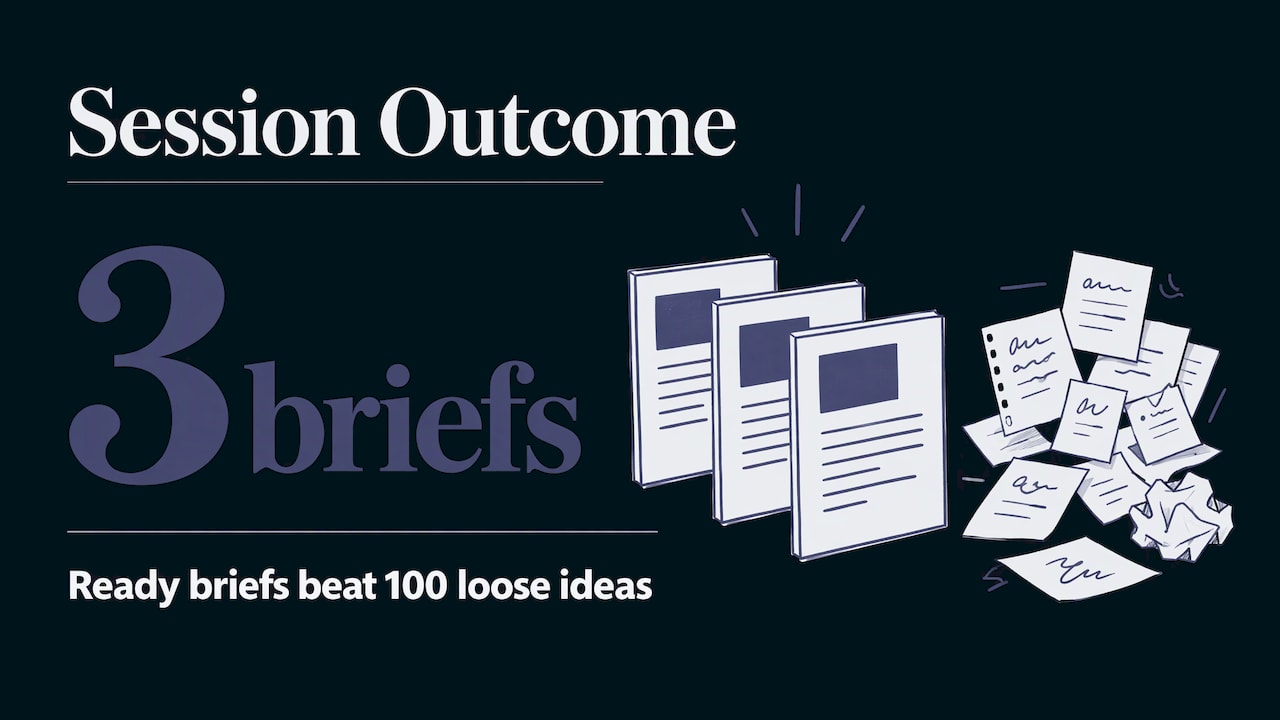
Choose the top three using the scoring method in the next section, and write a working title and a one-line hook for each. Stop there. A session that ends with three ready briefs beats one that ends with 100 loose ideas.
How to brainstorm content ideas with AI
AI is useful at exactly the stage where most people stall: producing lots of options and unfamiliar angles. HubSpot’s Caroline Forsey described asking an AI assistant for seven post ideas on a topic and finding it introduced angles she hadn’t considered. Her approach was to use the list as a starting point and then do her own follow-up research.
The quality of the output depends on what you feed in. A prompt pattern that works:
- Paste 10 to 30 real comments, questions or messages, with names removed.
- Ask the AI to group them into four or five themes.
- For each theme, ask for five ideas with a working title and a one-line hook.
- Ask it to mark which ideas suit a short video, a longer video, a podcast or a blog post.
- Tell it not to invent statistics.
That structure follows a workflow for creators that also suggests asking for five different hooks for the same video and choosing the one that sounds like something you’d say to a friend. The first seconds decide whether anyone keeps watching.
You can also point an assistant at your own archive. WordPress.com shows how to ask an AI to review existing posts for unanswered questions, list missing topics, and flag weak posts that need extra sections.
If you want the ideation and the writing in the same place as your video and audio tools, our AI writing tools cover chat and content generation next to the rest of the studio, so a brainstorm can move straight into a script or caption without copying between apps.
Keep your judgment in the loop
AI proposes, you decide. Check every fact it gives you, add your own stories and footage, and label realistic AI-generated images or video where the platform requires it. After you publish, it is worth seeing whether the topics surface where people now search. Monitoring how AI platforms mention you shows which of your topics get picked up and which don’t.
Score and prioritize so ideas become a plan
A long list feels productive, but only a shortlist gets published. A simple scoring pass takes ten minutes and removes the politics and the guesswork. Score each idea from 1 to 3 on four criteria:
| Criterion | Question to ask | 1 | 3 |
|---|---|---|---|
| Audience pull | Did real people ask this, or search for it? | Only I care | Asked repeatedly |
| Fit | Does it serve the goal from step 1? | Tangential | Directly supports it |
| Edge | Can I add something nobody else has? | Same as everyone | My own data or story |
| Effort | How fast can I make a good version? | Weeks | A day or two |
Add the scores. Anything at 10 or above goes onto the calendar. Anything between 7 and 9 waits in the backlog. Below 7, let it go.
Two habits keep the system alive:
- One inbox. Every idea, from a shower thought to a customer question, goes into the same place, with the source and the date. That is the habit Ahrefs recommends, and it stops good ideas from vanishing.
- A weekly pass. Spend 30 minutes a week grouping new entries by the problem behind them. Questions that show up three times are your next topics. Then check performance after publishing. Ahrefs advises learning from which topics earned the best response and traffic, and feeding that back into the next round.
Organize the calendar by theme, not by date. Four posts that answer the same audience problem from different angles build more trust than four unrelated ones.
Turn one idea into video, music, images and voice
A good idea is worth more than one post. Before you write anything, decide which formats the idea can fill. Take a single topic, say “how to prepare for your first podcast interview”, and plan it as:
- A cinematic or explainer video, for the main piece.
- Three to five short clips pulled from it for social feeds.
- A thumbnail and carousel images with a consistent visual style.
- An audio bed or a short theme track, so your content sounds recognizable.
- Dubbed versions for audiences who speak other languages.
- A written post or caption set, built from the same outline.
That plan is where a single studio saves time. In AiEnvoy you can generate video from text or images with models like Sora, Kling and Veo through the AI Video Generator, and cut longer footage into short vertical pieces with the AI Video Clipper. You can produce songs and tracks, with AI lyric generation and vocal recording, in the AI Music Generator, and restyle visuals in the AI Image Generator. The AI Video Dubbing tool translates and dubs videos with natural AI voices in multiple languages.
If your content features a recurring host or mascot, reusable AI character profiles help keep that look consistent from one asset to the next. The templates library gives you a starting layout when you don’t want to design from scratch.
For teams publishing on a schedule, our guide to a social media content automation workflow shows how to keep quality steady as volume rises, and AutoPilot is built for automated content creation and scheduling.
Our view: ideas are the scarce part
We built AiEnvoy because production used to be the bottleneck. A good idea could die because the video needed a crew, the track needed a studio and the translation needed another vendor. That has changed.
What hasn’t changed is that the idea decides everything. Two people can use the same video model and get very different results, because one started from a real audience question and the other started from “make something viral.” So we tell creators to put their effort upstream: collect real input, run a short session, score the results, and only then open the tools.
Our approach is to keep video, music, images, voice and writing in one app, so an idea moves from a prompt to a finished set of assets without switching between specialized tools. That is how a social media lead or a solo musician can plan a month of content in an afternoon and spend the rest of the week on the work that needs a human.
Use AI for volume and variety. Keep the voice, the facts and the final call for yourself.
the author
Try it on your next idea
Pick the top-scoring idea from your list and run it through the format plan above. You can start on the Free plan at 0 USD per month, and the pricing page lists Premium and Token Packs if you need more volume. The features page shows every tool in the studio.
If you build content tooling of your own, our Text-to-Video API and the rest of the API suite bring the same generation into your workflow.
FAQ
How do writers and creators brainstorm when they are stuck?
Change the input, not the effort. Read or watch things outside your niche, go through audience comments and questions, and run a five-minute sprint where you write without judging. Then push each idea sideways by changing the audience, the format or the opinion.
Can AI help me brainstorm content ideas?
Yes, especially for volume and fresh angles. Give it real audience comments or questions, ask it to group them into themes and suggest ideas with a title and hook for each, and tell it not to invent statistics. You then pick the ideas, check the facts and add your own voice.
How do I generate blog content from my ideas?
Turn each shortlisted idea into a brief: audience, goal, working title and outline. Use an AI writing tool for a first draft, then add your own examples and data, fact-check, and edit for tone before publishing. The same brief can drive a video script and social captions.
How many ideas should I produce in one session?
Aim for quantity first. A solo session of three five-minute sprints can give you 30 or more options, and the 6-3-5 method with a group reaches 108. Then score them and keep only the top three for production, leaving the rest in your backlog.
How do I turn one idea into several formats?
Decide the formats before you create anything. A single topic can become a main video, short clips, images, a track and dubbed versions. Producing them together keeps the message and the look consistent.
Sources
- Content Ideation: 8 Tips to Find Infinite Ideas (Ahrefs)
- How to Turn Audience Research Into Content Ideas (SparkToro)
- 18 strategies for generating high-quality content ideas (Webflow)
- 28 Ways to Come Up With New Content Ideas (Semrush)
- Content Brainstorming: How to Generate Effective Ideas (Semrush)
- How to Get Started with AI as a Content Creator (HubSpot)
- AI for Creators: Ideas, Scripts & Content Plans (AI How To)
- How to Build an Endless Stream of Content Ideas with Claude (WordPress.com)
- AI Search Monitoring (Cutting Edge AI Solutions)
Recommended
Put this workflow into practice with AiEnvoy
Create videos, AI music, and multi-language dubbing with Sora, Kling, Veo, and Seedance 2.5 — or connect our Developer APIs.